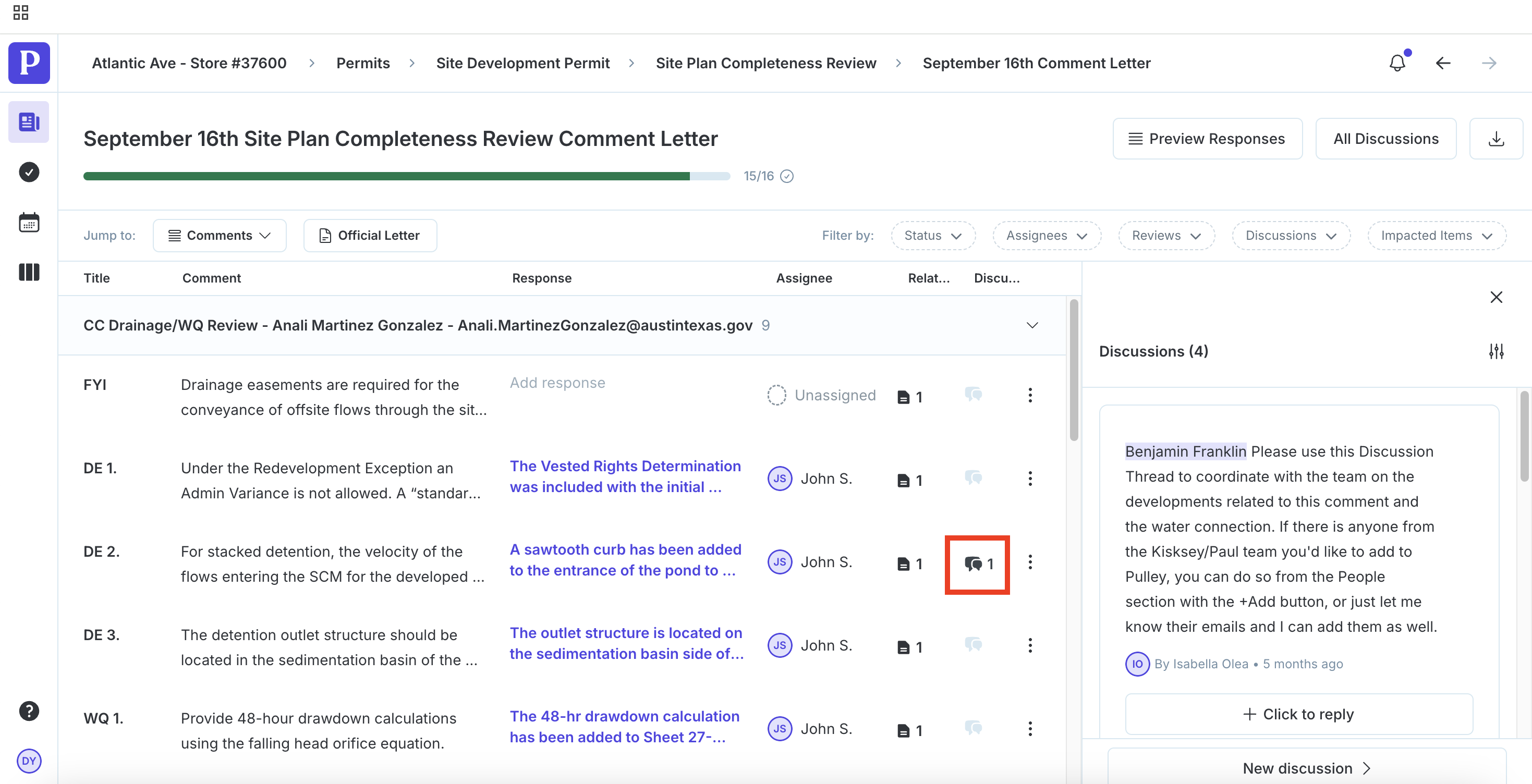
How do I use discussion threads to communicate internally?
Discussions are conversation threads and a great way to communicate internally with your team about tasks. Start by selecting the relevant project from your Portfolio overview.
You can find discussions on any task, such as Submittal Items or Comments (detailed below).
Once you locate a task, click on the speech bubble icon next to open the discussion thread.
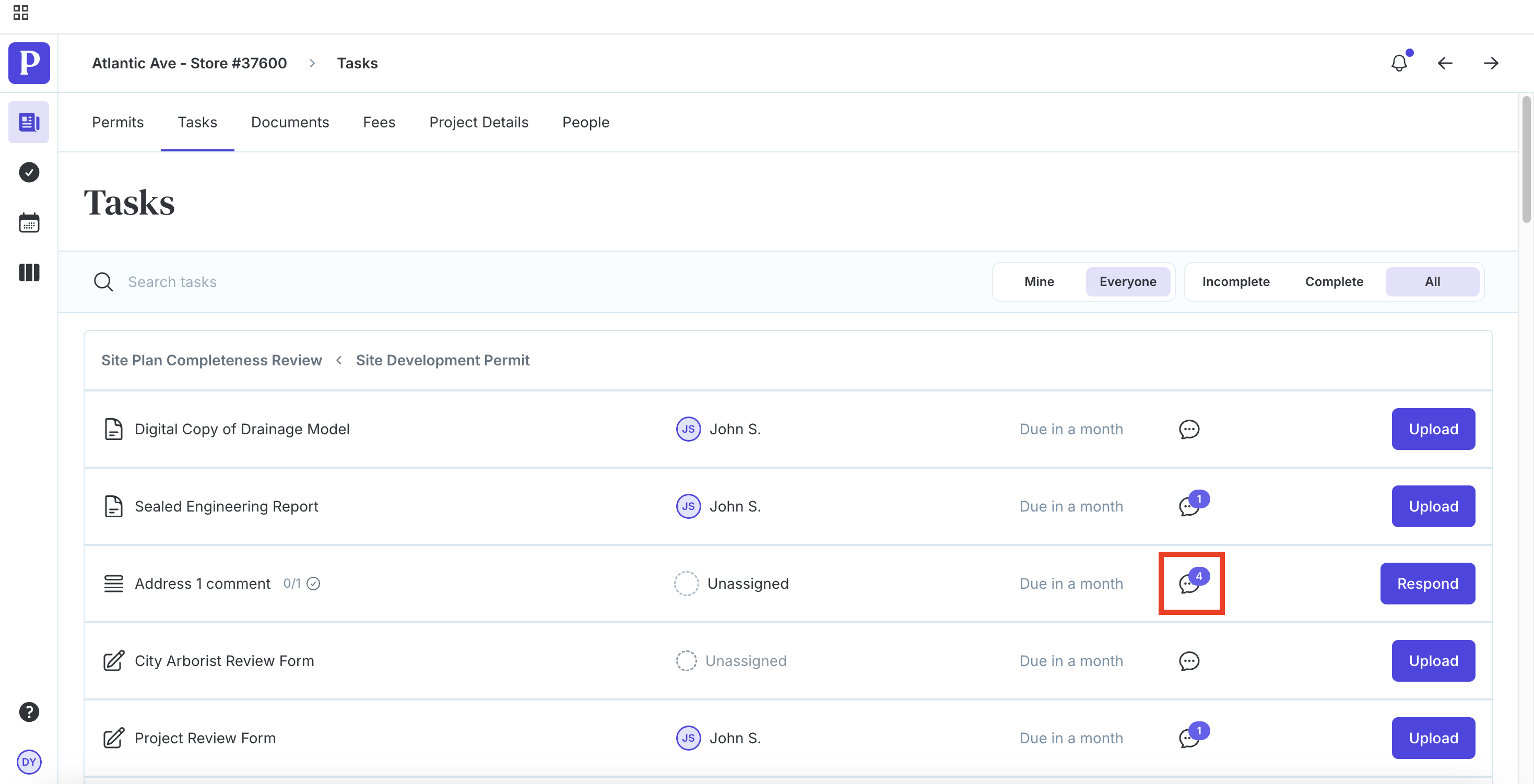
You can reply to or resolve an existing discussion by clicking Click to reply or start a new discussion by clicking New thread.
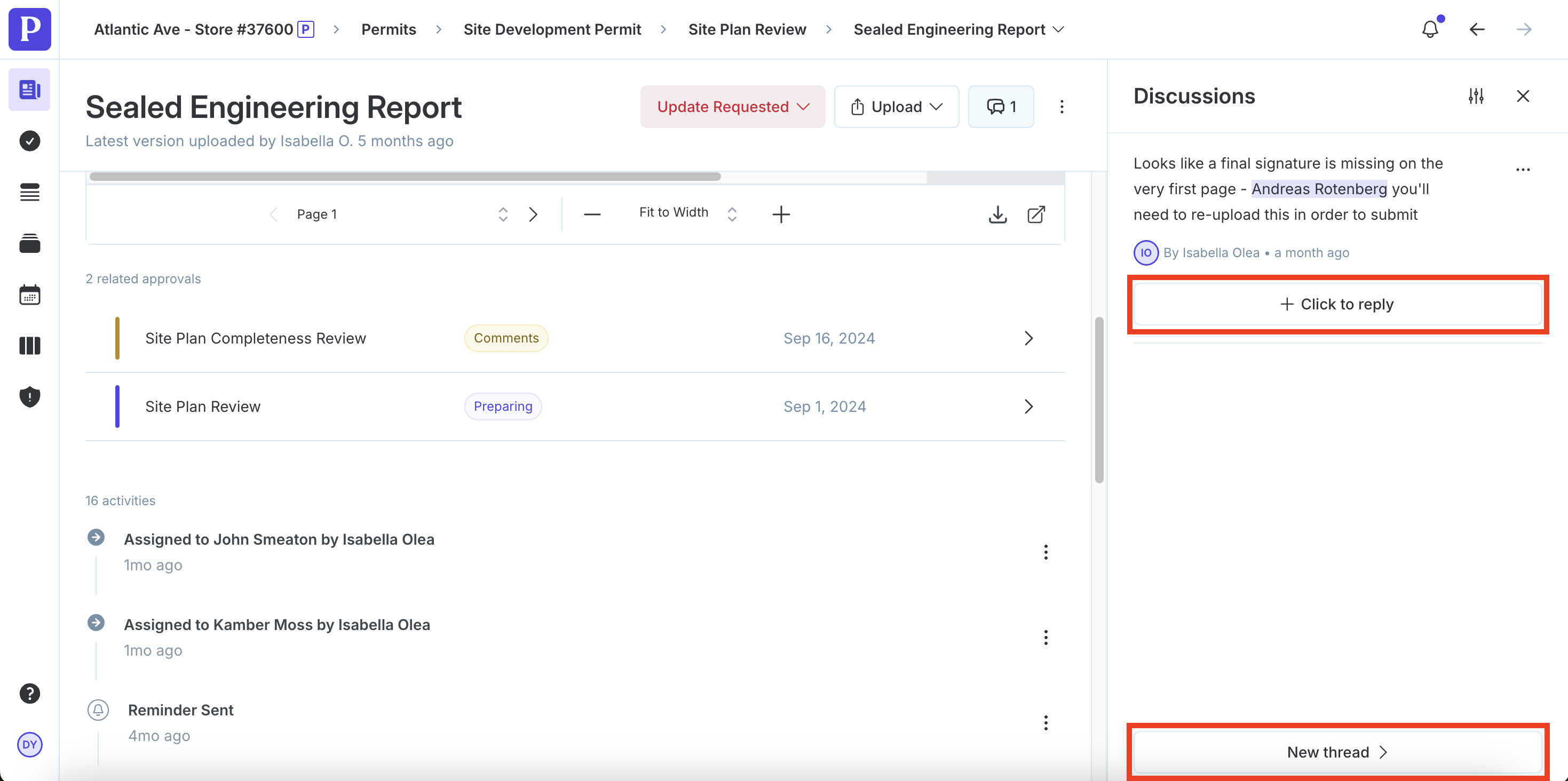
Locating Discussion Threads on Submittal Items
To navigate to discussions on submittal items, start by selecting the relevant project from your Portfolio overview.
Select an approval that is in the "Submission" or "Comments" stage.
Click on the speech bubble icon next to the task.
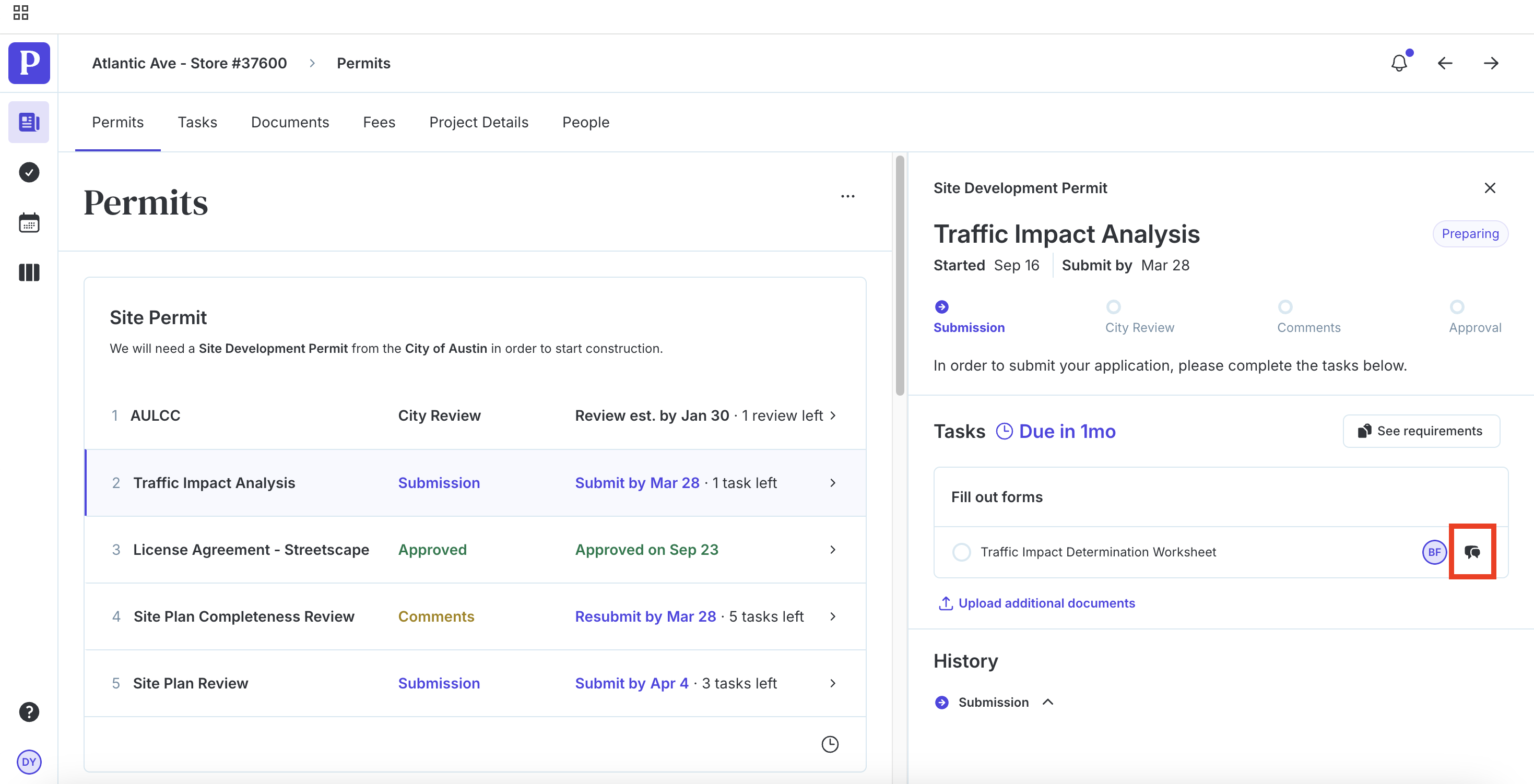
Locating Discussion Threads on Comments
To navigate to discussions on comments, select the approval that has comments in your Permits overview of your project.
Click Address # comments under "Respond to comments."
Click on the speech bubble icon next to the comment.